
The Free Website Audit
With Clear Priorities
Audit up to 10,000 pages and inspect the evidence behind technical issues, broken resources and crawl access. Review your health score, save site history, and connect optional analytics and AI tools.
Run your free technical audit — no signup needed
Updated September 2026
From issue to evidence
Issues and affected URLs
Open Technical issues, choose Critical, Moderate or Low priority, search a URL or title, then choose an issue. The Affected URLs subtab shows matching pages and resources with response details. Switch back to Issues to choose the next fix.
Health that reflects impact
Priorities include robots access, 5xx responses, 404s, redirect chains, insecure links and broken scripts or stylesheets. Scores use observed impact and crawl coverage. They are technical audit indicators, not Google ranking scores.
Your sites and their history
Guests can crawl. Sign in to manage multiple websites and save their reports. Choose once, daily, weekly or monthly. Summary history tracks scores and issue counts; monthly archives preserve detailed reports when a crawl completes. Repeat schedules require the service to be running.
AI when you choose it
Open AI Connections, choose OpenAI, Gemini, Claude or an OpenAI-compatible API, enter a text model ID and API key, then Test & connect. AI Summary appears after connection. You can also copy an aggregate audit brief into any AI app without an API connection.
Measured performance
Review slow responses, large resources, compression and mixed content across HTML, images, JavaScript, CSS, PDF and other files. Use PageSpeed for browser diagnostics and available field data for Core Web Vitals.
Reports and connected metrics
Connect your own Search Console and GA4 properties to show their reporting data. Export a PDF action plan or filtered CSV. Saved reports and connections remain scoped to your account.
Technical health in Looker Studio
After a crawl is saved, open Looker Studio in the sidebar and create your read-only score and error key. Open the connector, authorise it with that key, choose one website and add a scorecard using Technical health score. Choose Site summary for the latest technical score and issue counts. Add a second source using Issue breakdown for issue names, priorities and affected-page counts. Page URLs and Google reporting metrics are not shared. Refresh the source after a new saved crawl. Replace or revoke your key from the same screen.
10,000
Pages per crawl
150+
Checks run
1 click
AI action plan
100%
Free to use
Whole-Website Crawl — Up to 10,000 Pages
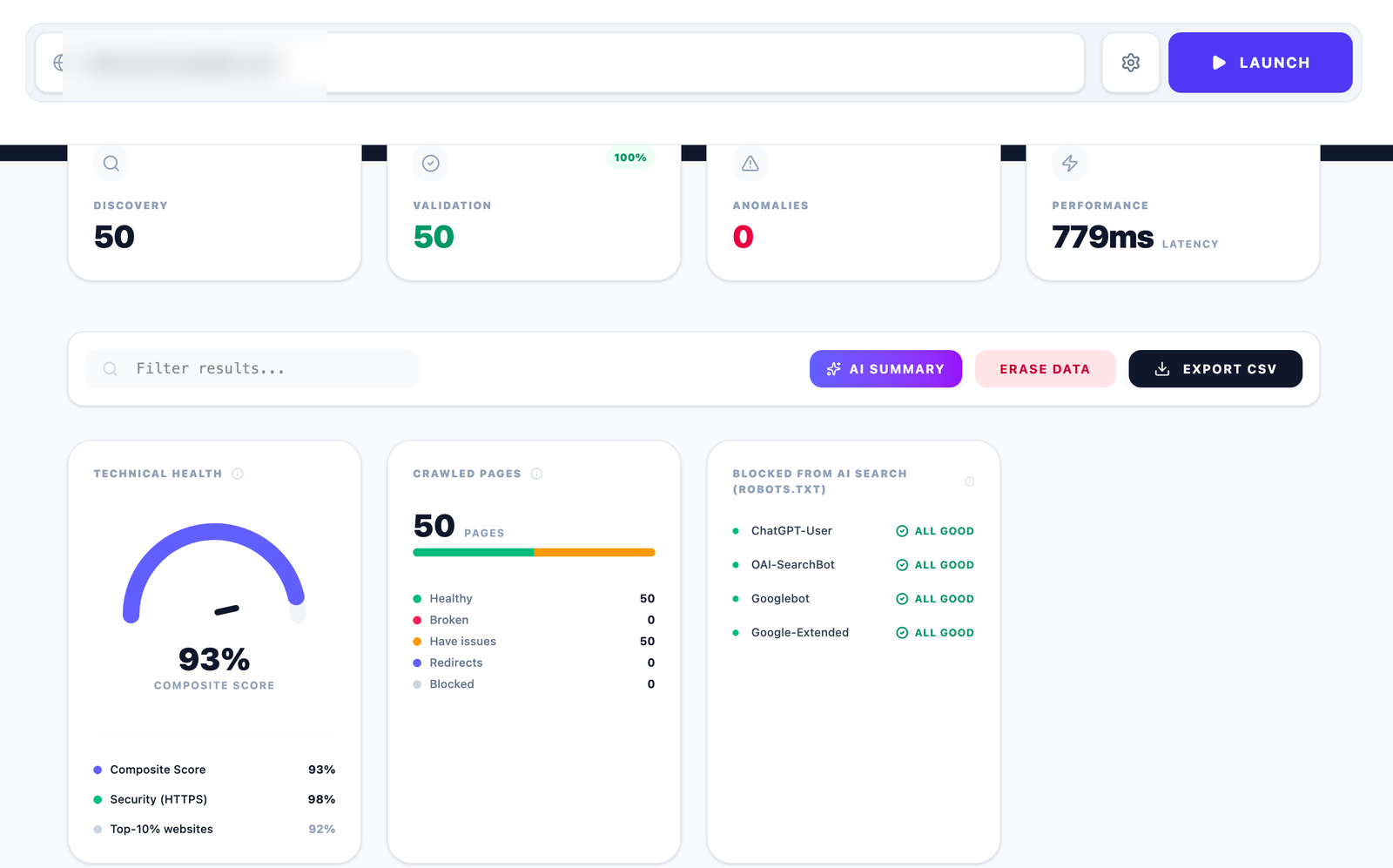
Enter any URL and Alpha Crawler spiders the entire site: discovers your XML sitemap, traverses the internal link graph and fetches every page. Track discovery, validation rate, anomalies and latency live as the crawl runs.
Page-by-Page Issue Detection
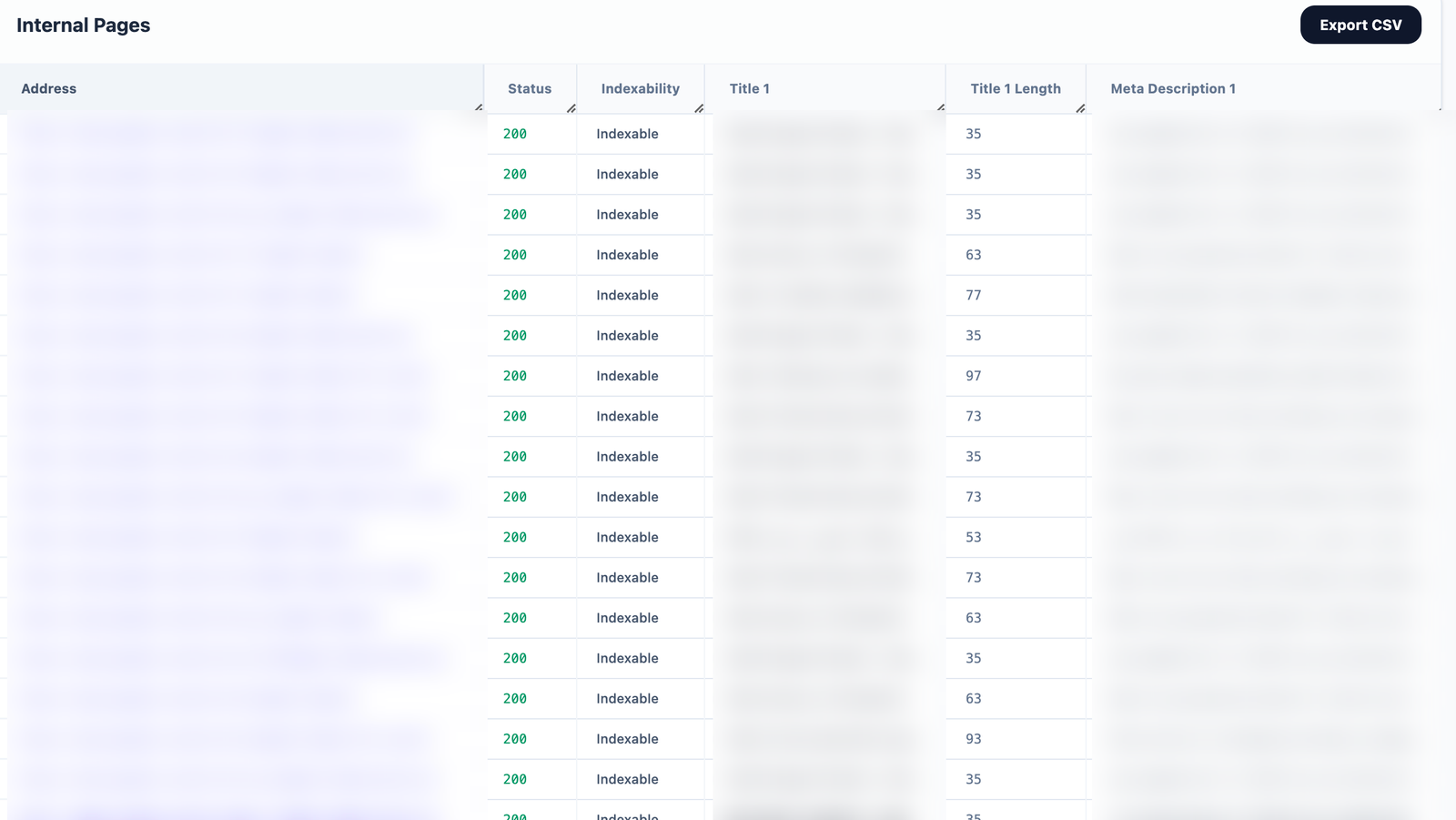
Every page is checked individually: title length and uniqueness, meta description presence and length, H1 balance, canonical status, indexability, text-to-HTML ratio, image alt integrity and response code. Issues are prioritised Critical → High → Medium → Low so you fix what matters first.
Whole-Website Issue Log
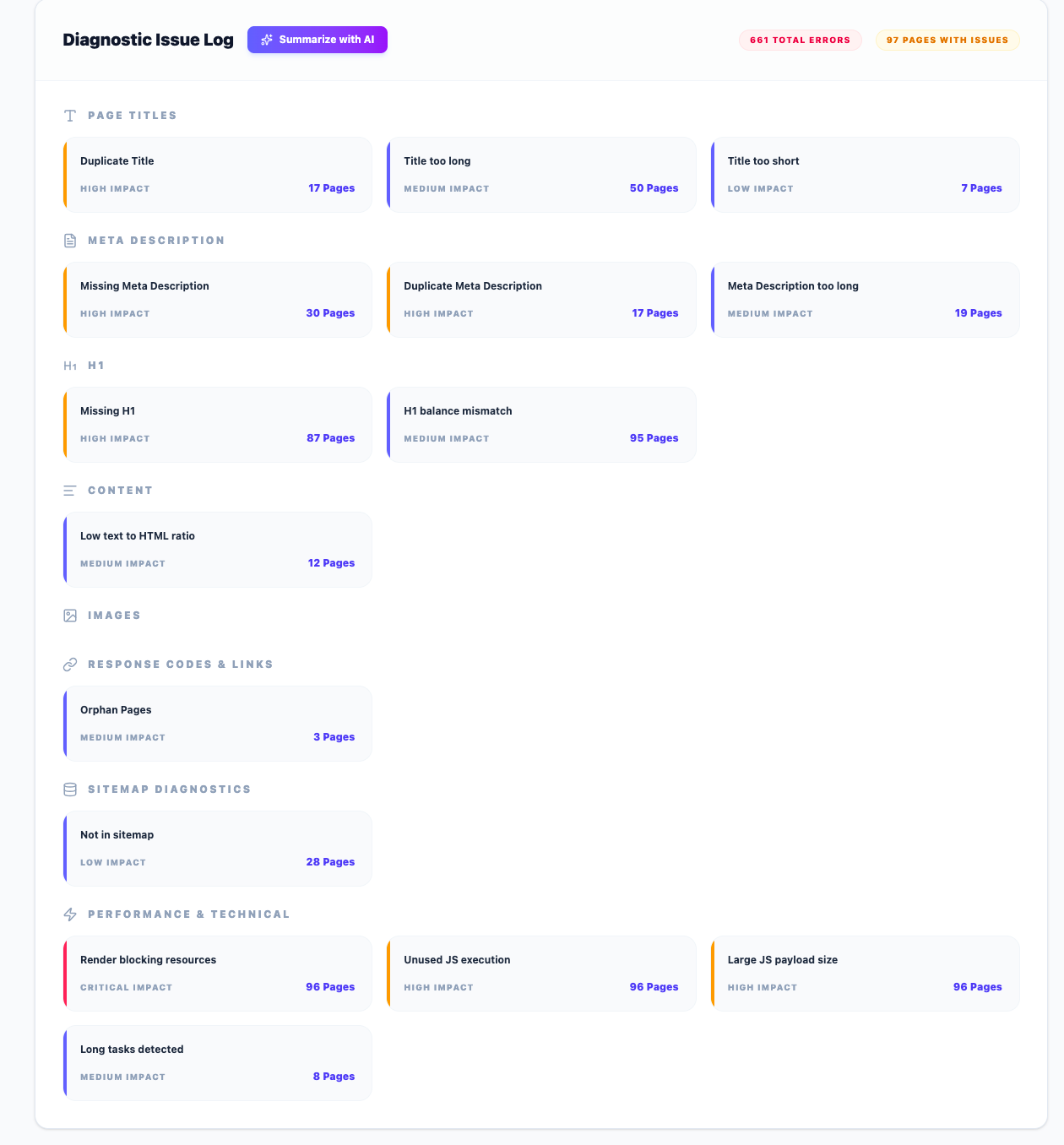
The Diagnostic Issue Log aggregates every problem site-wide, grouped by category and ranked by impact. Click any issue to filter the full URL list to only the affected pages — then export that filtered list directly to CSV.
Per-Page Deep Diagnostic
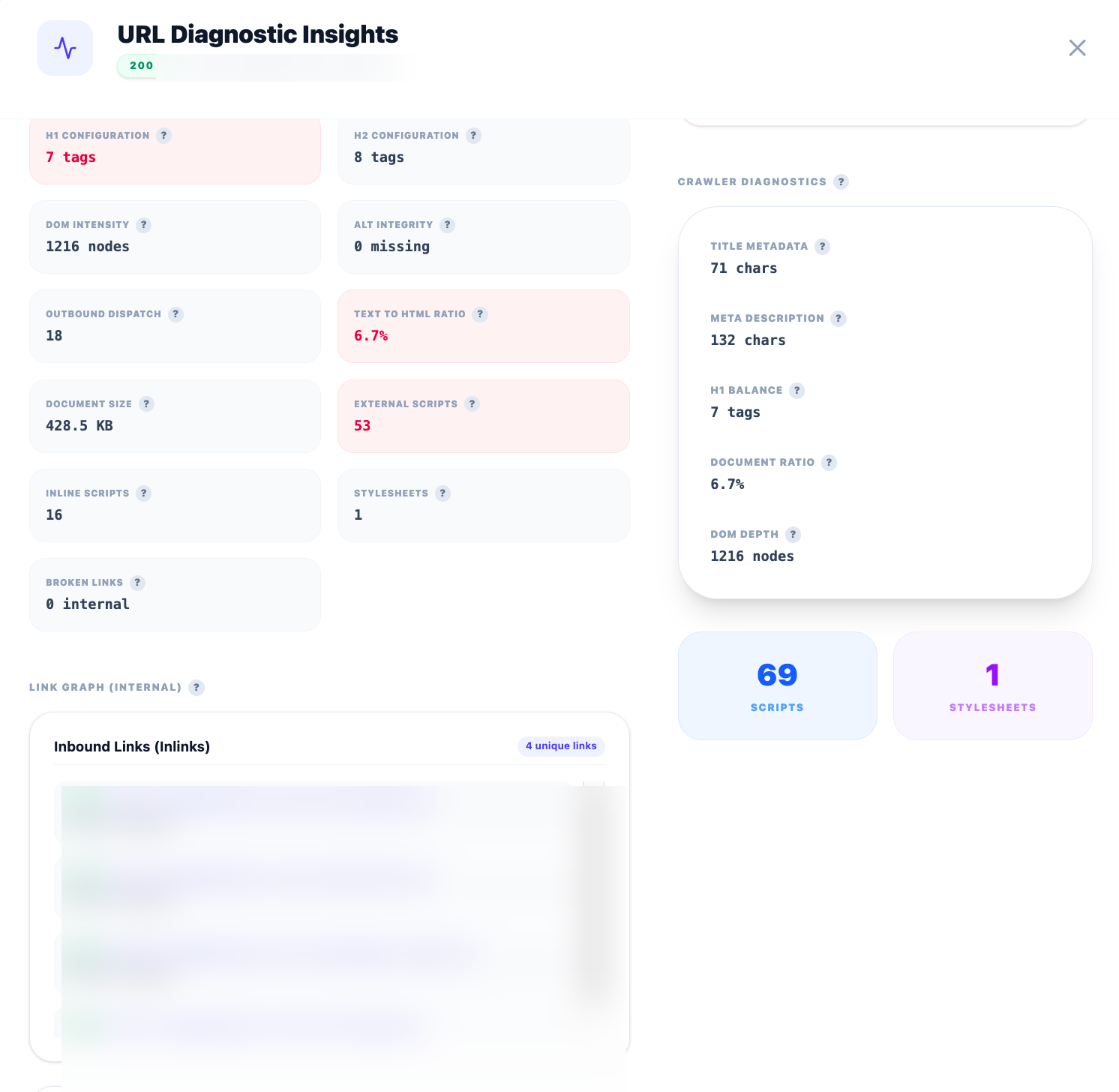
Click any URL for its complete anatomy: H1/H2 counts, DOM depth, external scripts, text ratio, inbound and outbound link graph with anchor text and status codes, asset counts and the asset execution lifecycle (DOM Buffer, JS Runtime, CSS Object Model, Asset Fetching) with millisecond timings.
Scripts & Assets with HTTP Status Codes
Beyond HTML pages, the crawler inventories every JS file, stylesheet, image and other resource — each with its own HTTP status code. Broken scripts, missing images and dead CSS references surface immediately. Export the full asset inventory or filter to 4xx/5xx assets only.
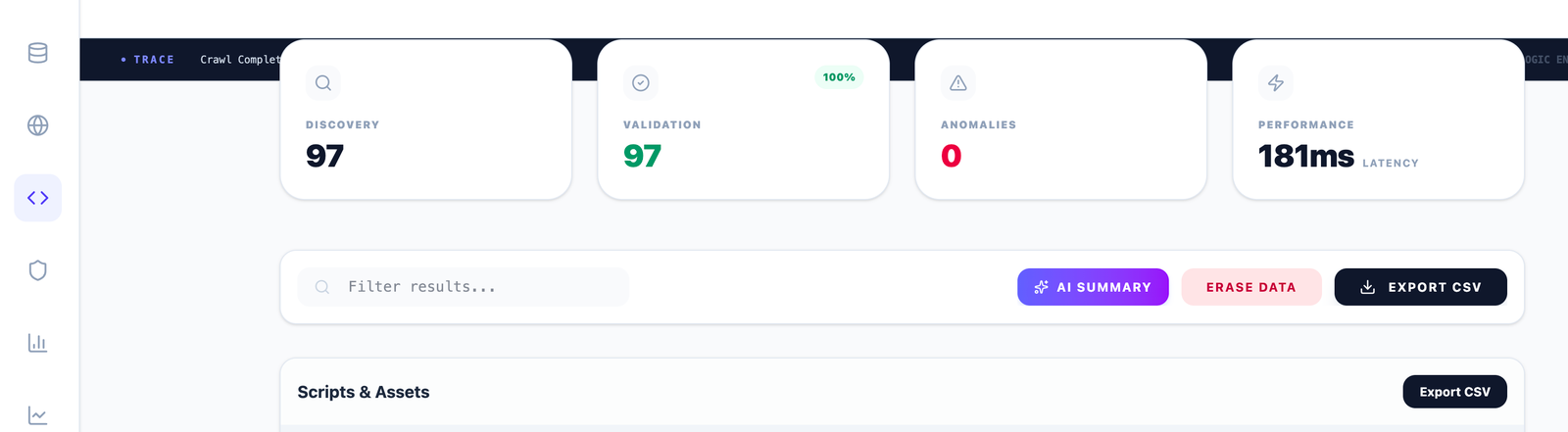
Source Code Distribution
A whole-website footprint analysis: a donut chart of total assets split into HTML, CSS, JavaScript, Images and Other. An image-heavy or JS-heavy footprint is an early warning for page-weight and Core Web Vitals problems.
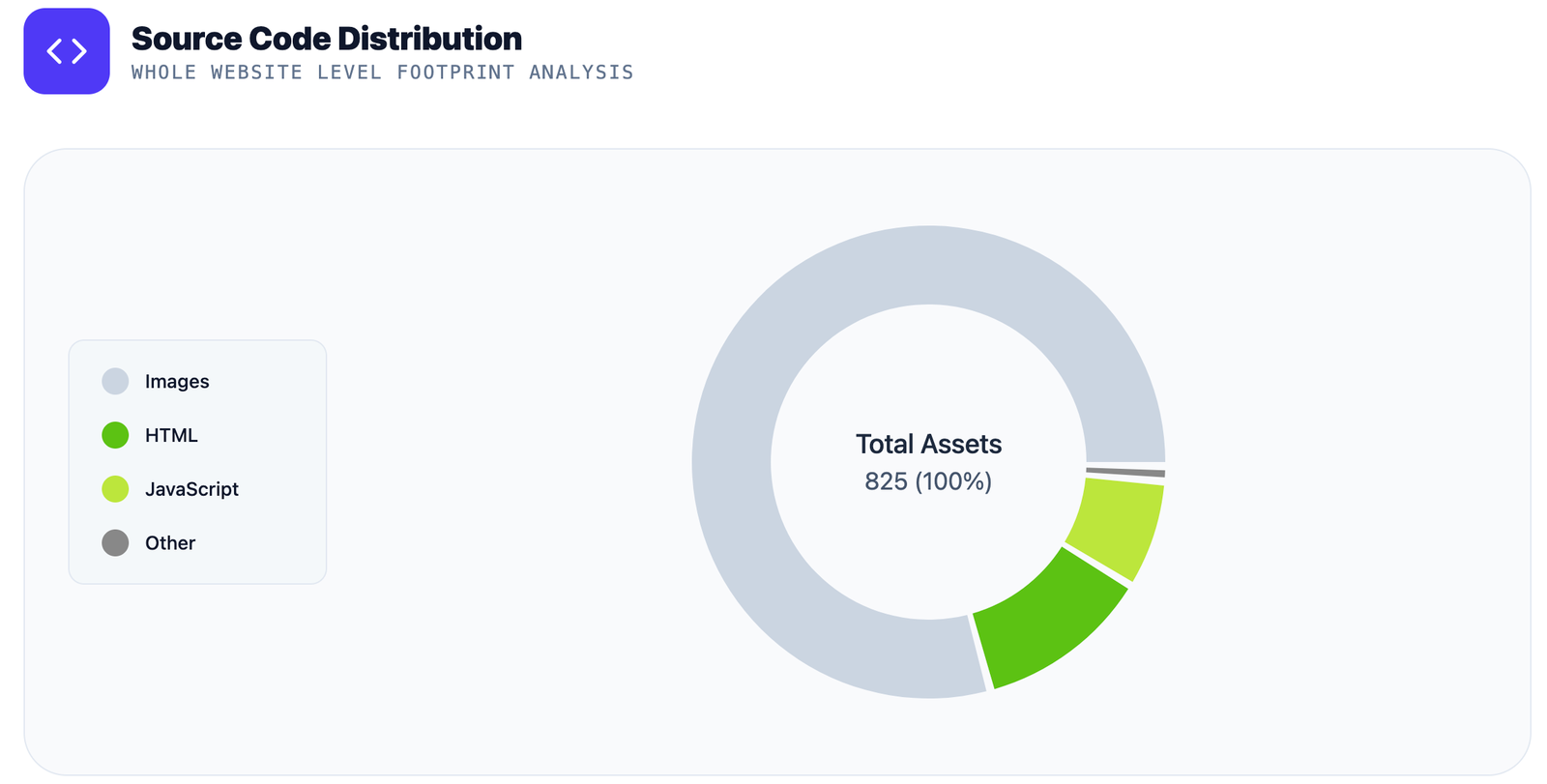
Schema Distribution & Validation
Site-level schema footprint map shows which schema types (WebPage, Article, BreadcrumbList, Organization, Person, CollectionPage…) are deployed and on how many pages. Per-URL JSON-LD validation expands every entity property-by-property with a per-entity error count.
AI Search Visibility Check
The dashboard parses your robots.txt and reports whether AI crawlers — ChatGPT-User, OAI-SearchBot, Googlebot and Google-Extended — are permitted to access your site. Bot policies have different purposes. An allowed or blocked rule does not establish whether a website will appear in AI answers.
Complete Coverage
150+ Checks. Every Page. One Free Crawl.
Alpha Crawler evaluates every technical signal that affects crawlability, indexation, performance, and ranking — organized across 9 categories.
1. Indexability & Directives
24 checks2. On-Page Content & Metadata
29 checks3. Site Architecture & Links
20 checks4. Assets & Media
18 checks5. DOM & Technical Structure
16 checks6. Structured Data (Schema)
20 checks7. Performance (Lighthouse / PageSpeed)
16 checks8. Crawl Analytics & Reporting
20 checks9. Custom Extractions & Configuration
15 checksAll 178+ checks run automatically — no configuration needed for the essentials.
How It Works
From URL to Full Audit Report in Minutes
Enter Your URL
Paste any domain or page URL into the address bar. No login, no signup.
Configure (Optional)
Set crawl depth (1–10), max pages (up to 10,000), sitemap URLs or path scope.
Launch the Crawl
Alpha Crawler discovers your sitemap, traverses every internal link and validates each page live.
Get Your Report
Receive the full diagnostic report. Generate an AI summary. Export CSV.
What Users Say
Trusted by SEO Professionals
“The technical audit was incredibly detailed. It uncovered issues that other SEO tools completely missed.”
Recall Media
SEO Agency
“Excellent technical SEO tool. The crawl reports are thorough, actionable, and easy to understand.”
Robert
SEO Manager, Digital Agency
“I was impressed by how relevant the AI suggestions were. They helped us prioritize the issues that mattered most.”
Rajesh
Head of SEO
For Agencies & Enterprises
Need to Audit Hundreds of Client Sites?
The free plan covers 10,000 pages per crawl. For agencies managing multiple clients at scale, we offer extended limits, scheduled automated audits, multi-client workflows and priority support.
10K+
Pages / Crawl
150+
Checks Run
AI
Summaries
Free
Always
Rendering Intelligence
Works on Static & JavaScript-Rendered Sites
Alpha Crawler can audit both server-rendered and JavaScript-heavy sites — so your React, Next.js, Vue or Angular site gets the same deep technical audit as a classic HTML site.
Static / Server-Side Rendering
For traditional HTML sites and server-rendered frameworks (WordPress, Shopify, PHP, Django, Rails, Next.js SSR), the crawler fetches and parses the HTML directly — fast, thorough and accurate.
- Full HTML parsed on first fetch
- All metadata extracted immediately
- Fastest crawl speed
- 100% accurate on SSR frameworks
- Works on WordPress, Shopify, Drupal, Magento
JavaScript / Client-Side Rendering
Enable JS Rendering mode in Crawler Configuration to audit React, Vue, Angular, Next.js CSR and other client-rendered sites. The crawler waits for the JS to execute before extracting content.
- JS executes before page analysis
- Detects dynamically injected metadata
- Catches client-side rendered H1s and titles
- Identifies JS-rendered schema markup
- Toggle in Crawler Configuration settings
WordPress
SSR
Shopify
SSR
Next.js
SSR + JS
React SPA
JS Mode
Vue / Nuxt
JS Mode
Angular
JS Mode
Webflow
SSR
Wix / Squarespace
SSR
FAQ
Frequently Asked Questions
Run Your Free Website Audit Now
No signup. No credit card. No page limit tricks. Paste your URL and get the full technical picture in minutes.
Questions? support@alphacrawler.org